Computer Monitor Ergonomics: Small Adjustments Can Make a Big Difference
If you spend hours working at a computer, the position of your monitor may be affecting your body more than you realize.
A screen that is too high, too low, too far away, or positioned off to one side can cause you to repeatedly adjust your posture throughout the day. You may find yourself leaning forward, looking down, extending your neck, or rotating your body toward the screen.
These positions may not feel uncomfortable at first. But when you maintain them for hours at a time, day after day, they can contribute to neck and shoulder tension, headaches, upper and lower back discomfort, and eye fatigue.
The good news? Sometimes a few small adjustments can make a big difference.
Where Should Your Monitor Be?
A good starting point is to position your monitor:
- Directly in front of you so you aren’t repeatedly turning your head or trunk
- About an arm’s length away, adjusting slightly based on screen size and your vision
- With the top of the screen at or slightly below eye level
- Tilted slightly if needed so you can comfortably view the entire screen without changing your head or neck position
The goal isn’t to force yourself into “perfect posture.” It’s to arrange your workstation so your body doesn’t have to work unnecessarily hard just to see your screen.
What If You Use Two Monitors?
Dual monitors require a little more thought.
If you use both screens equally, position them close together and centered in front of you.
If one monitor is your primary screen, place that monitor directly in front of you and position the secondary monitor beside it.
Pay attention to how often you’re turning your head. Repetitive rotation in the same direction throughout an eight-hour workday can add up.
Don’t Forget About Your Laptop
Laptops are convenient, but they can be challenging ergonomically because the keyboard and screen are attached.
If you raise the laptop to improve screen height, the keyboard becomes too high. If you keep the keyboard at a comfortable height, you may spend the day looking downward.
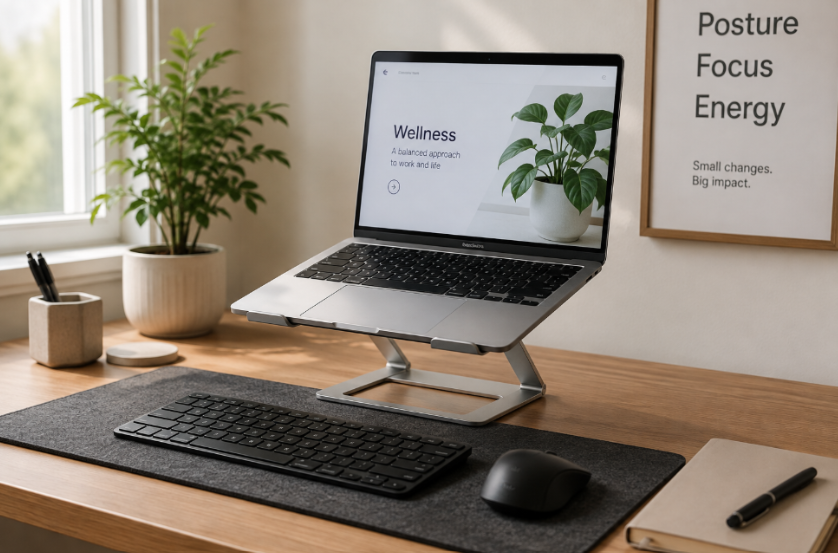
For longer periods of laptop work, consider using a laptop stand or riser with an external keyboard and mouse. This allows you to position the screen and your arms independently.
Your Monitor Isn’t the only Thing that Matters
Ergonomics is about more than checking whether your desk and chair are at the “correct” height.
Your monitor, keyboard, mouse, chair, desk, work tasks, lighting, movement habits, and even how frequently you change positions all work together.
A workstation can look ergonomically correct and still not be the right setup for you.
That’s why we look at the person, the workstation, and the actual demands of the job, not just a generic ergonomic checklist.
Your Body Is Often the First Clue
Pay attention if you regularly notice:
- Neck or upper shoulder tightness by the end of the workday
- Headaches after prolonged computer use
- Upper or lower back discomfort
- Eye strain or fatigue
- Leaning toward your monitor to read
- Frequently looking down at your screen
- Rotating toward one monitor throughout the day
- Feeling the need to constantly “fix” your posture
Rather than repeatedly reminding yourself to sit up straight, take a look at your environment.
Your workstation should support your body; not force your body to adapt to your workstation.
Need Help With Your Workstation?
At Balanced Fitness & Health, our ergonomic assessments look beyond the chair and desk. We evaluate how the employee interacts with the workstation, equipment, environment, and specific demands of the job.
Small ergonomic changes can help improve comfort, reduce unnecessary physical strain, and support employees in staying healthy and productive at work.
If you or your team are experiencing discomfort at your workstations, an ergonomic assessment can help identify practical changes that make sense for both the employee and the job.
Work shouldn’t hurt. Sometimes the solution starts with simply changing what you’re looking at all day.

Related Articles

Corporate, Ergonomics, Physical Therapy, Workplace Injury Prevention